
Your data, your server, your workspace.
Build datasheets, queries, forms, reports and Lua automations in the browser, then share them with your team. One Go binary. SQLite or PostgreSQL. No account with anyone else.
Microsoft Access ideas, rebuilt for the web and for teams.
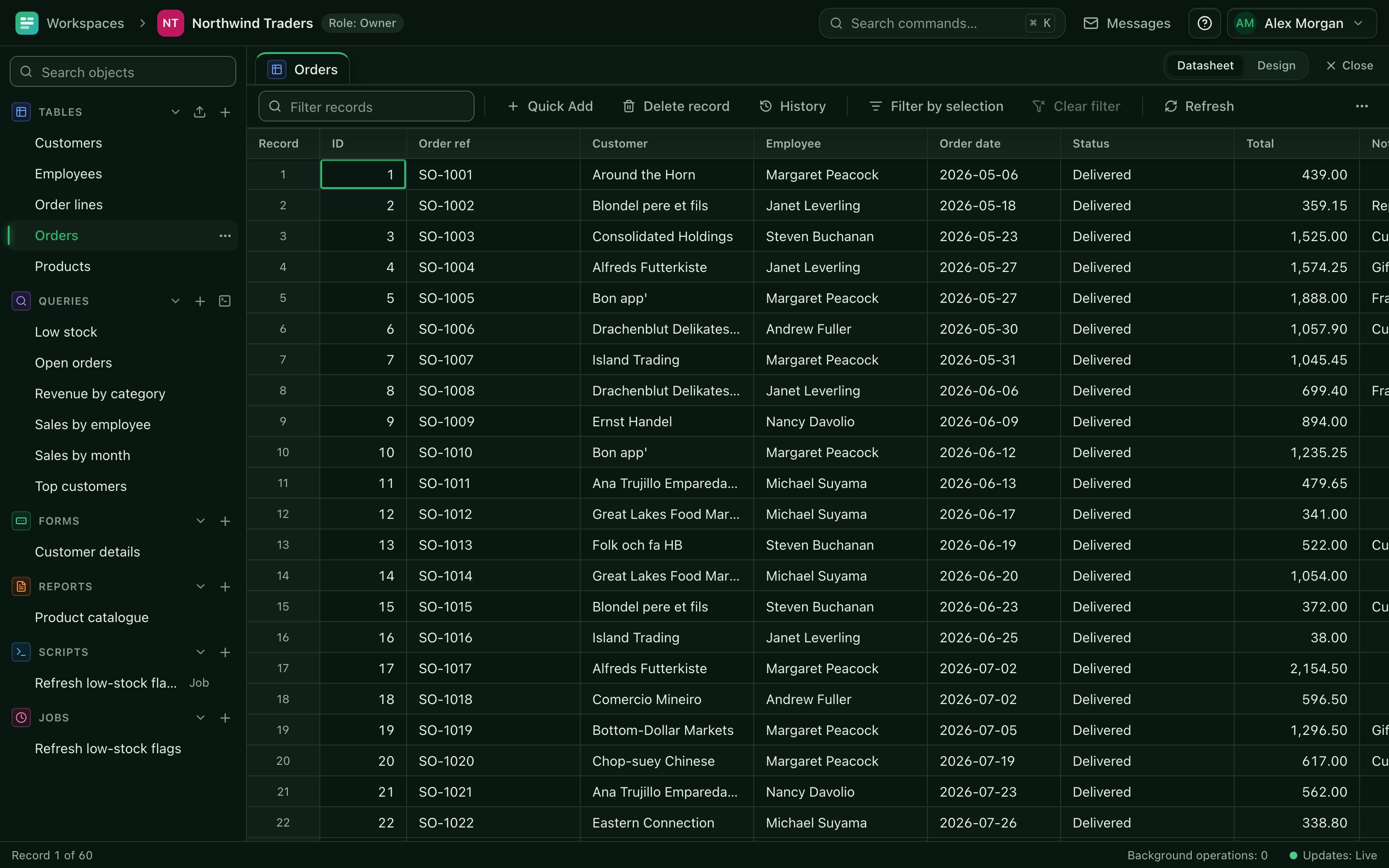
Everything a small team needs to run on its own data
Each object kind has its own colour and its own editor, and they all work together.
-
Datasheets and table design
Typed fields, lookups, calculated columns, validation, record history with field-by-field conflict resolution, and CSV, Excel or JSON import.
-
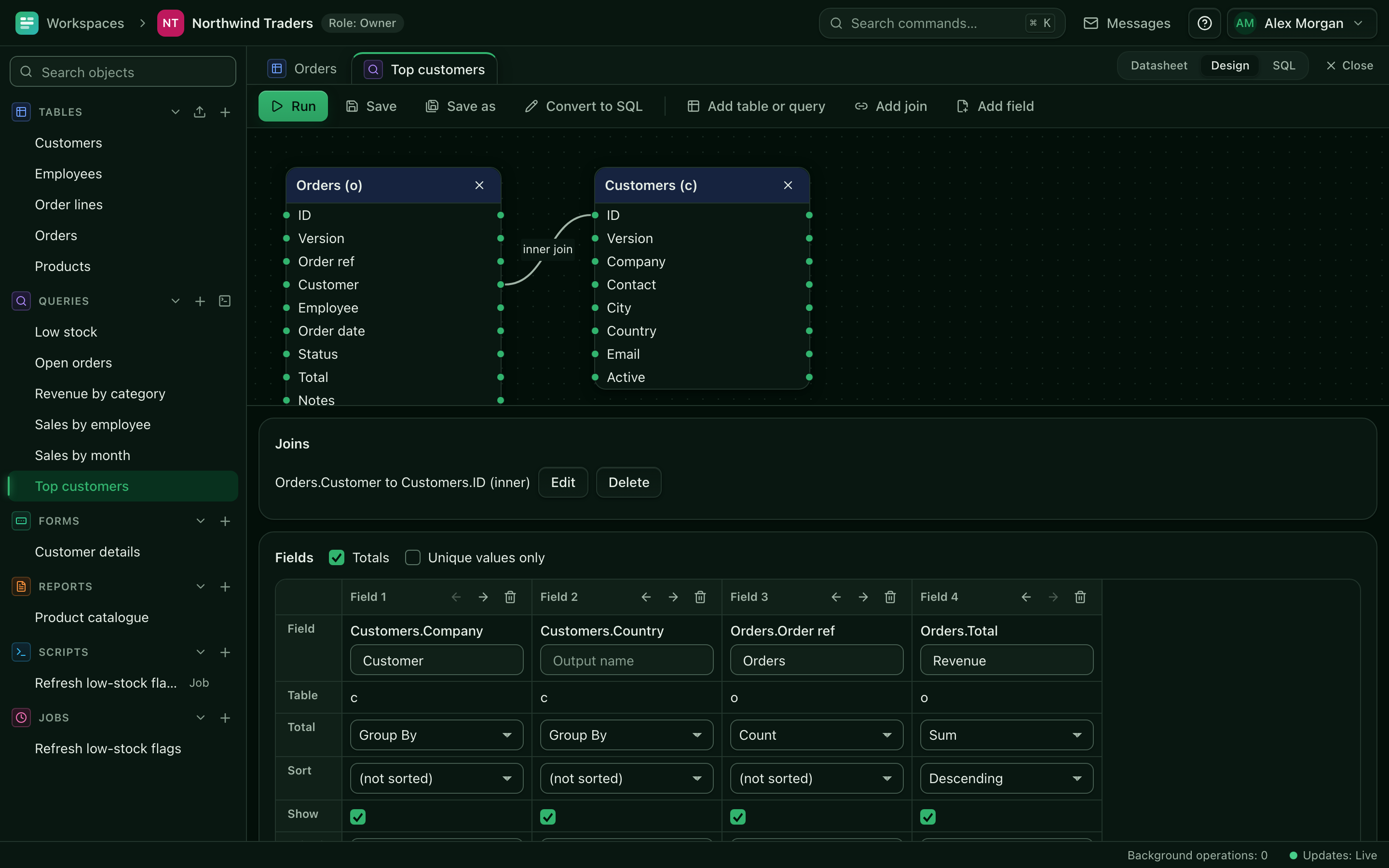
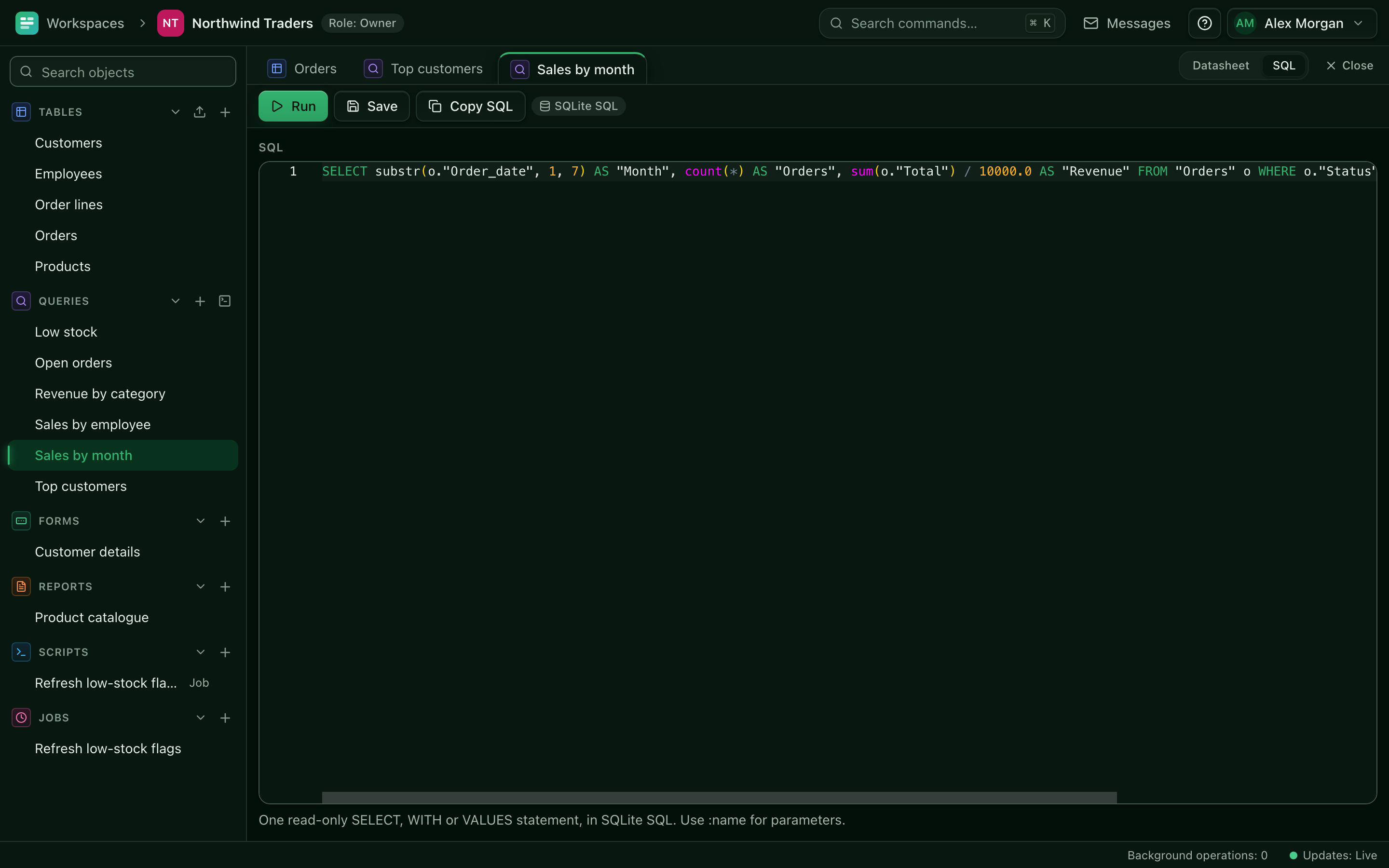
Visual and SQL queries
Drag-and-drop joins, grouping and filters for builders, plus a sandboxed read-only SQL editor with parameters and hard row and time limits.
-
Forms
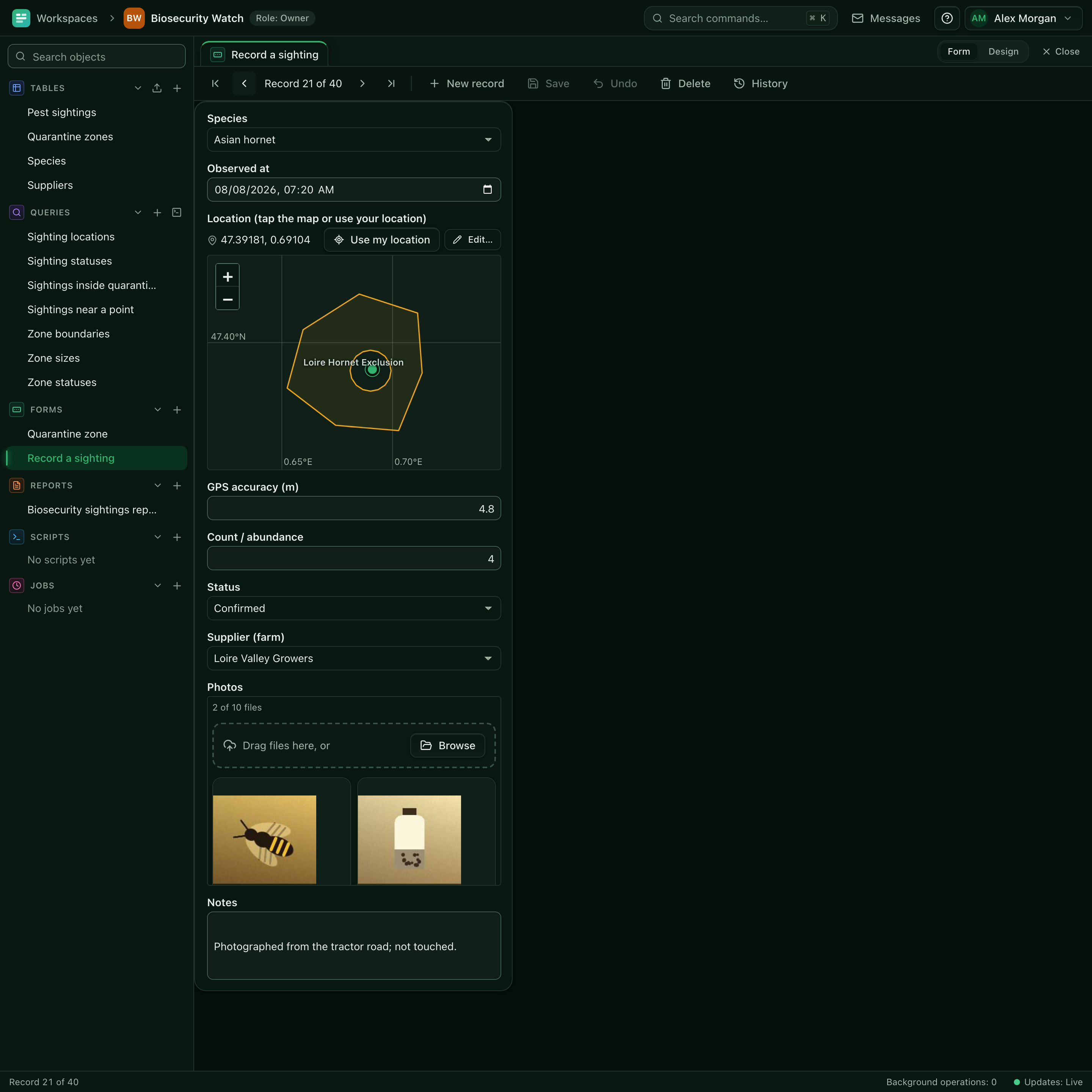
A canvas form builder with subforms and event hooks. Phone-friendly, with GPS capture and photo attachments for field work.
-
Banded reports and PDF
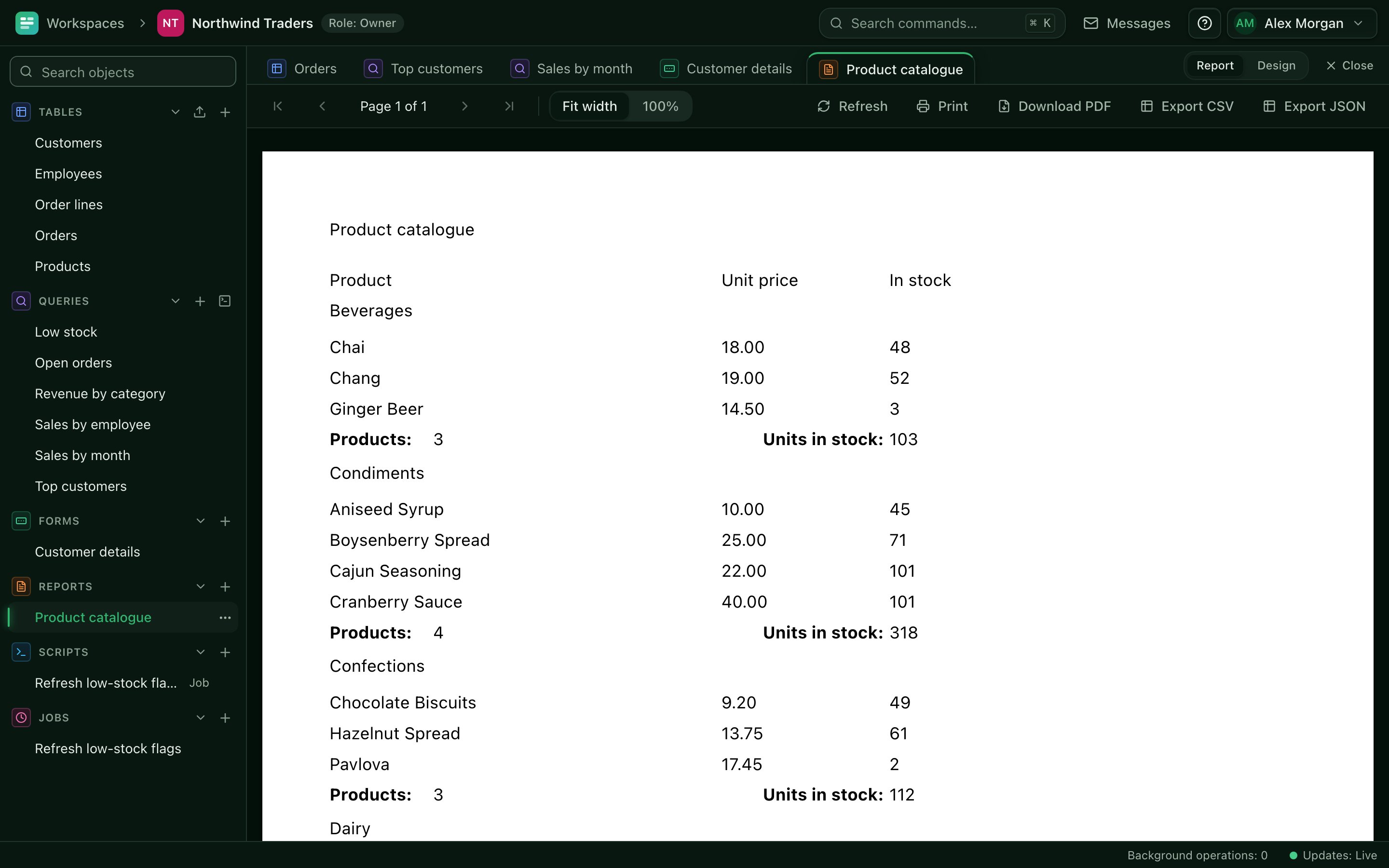
Grouped tabular and columnar reports with maps, images and totals, printed or exported as PDF from the server.
-
Lua scripts
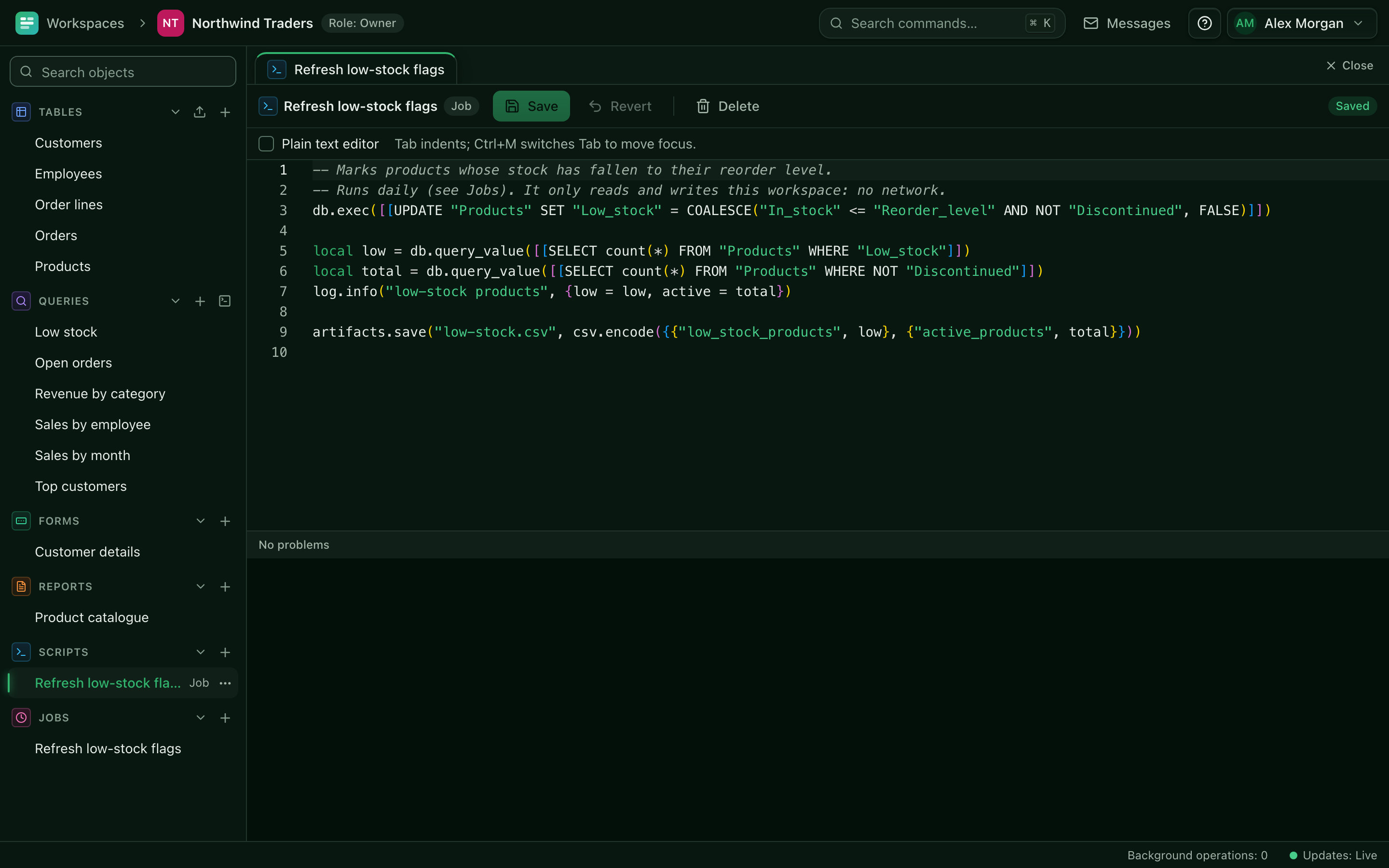
Sandboxed Lua 5.1 with memory and CPU limits, a dialect-neutral query builder, an analysis toolkit and an egress allowlist.
-
Scheduled jobs
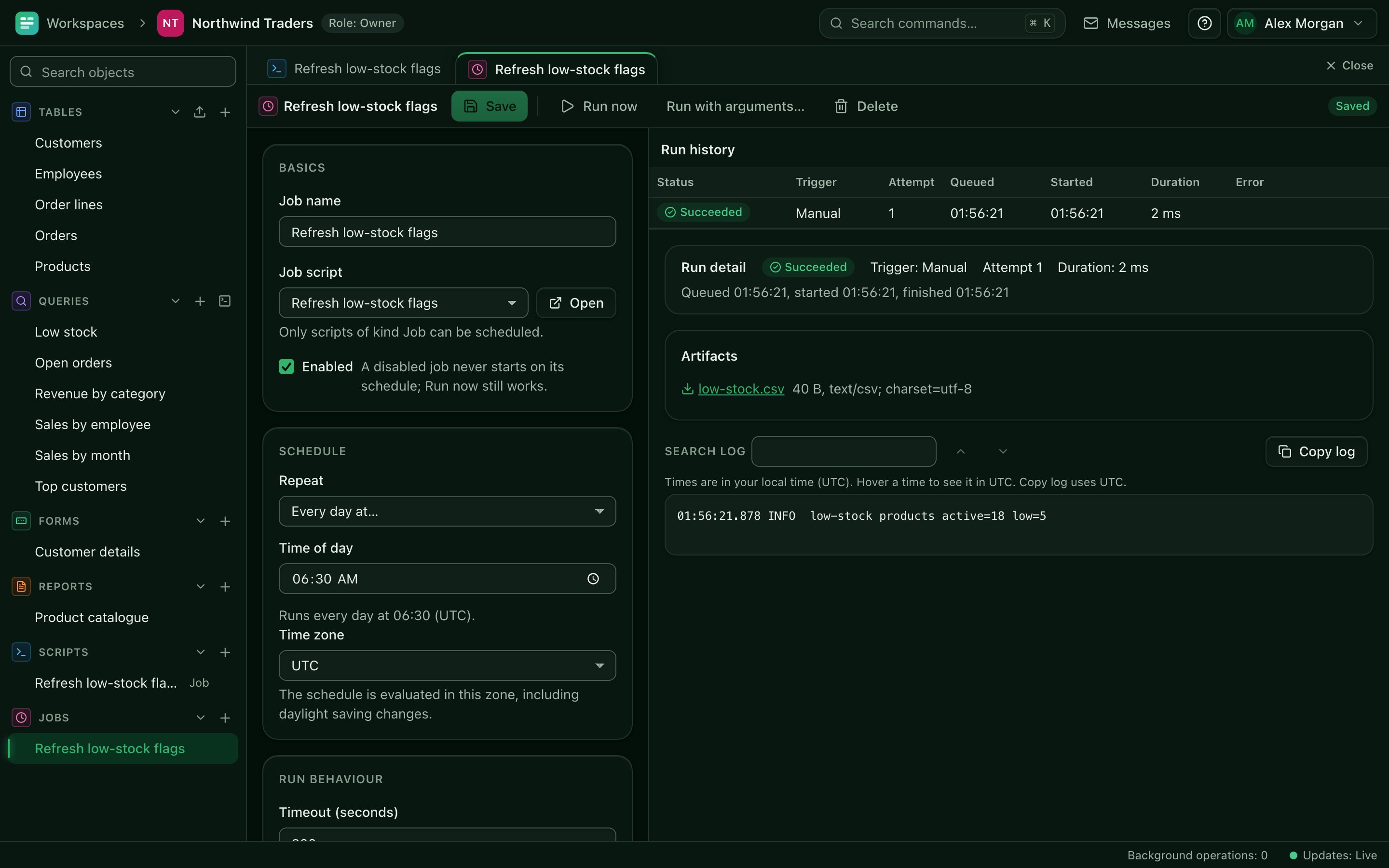
Run any script on a cron schedule and inspect every run, its output and its errors.
-
Public apps, no accounts
Bundle forms and reports into a standalone app behind an unguessable link, for surveys, orders or public reporting.
-
User blogs
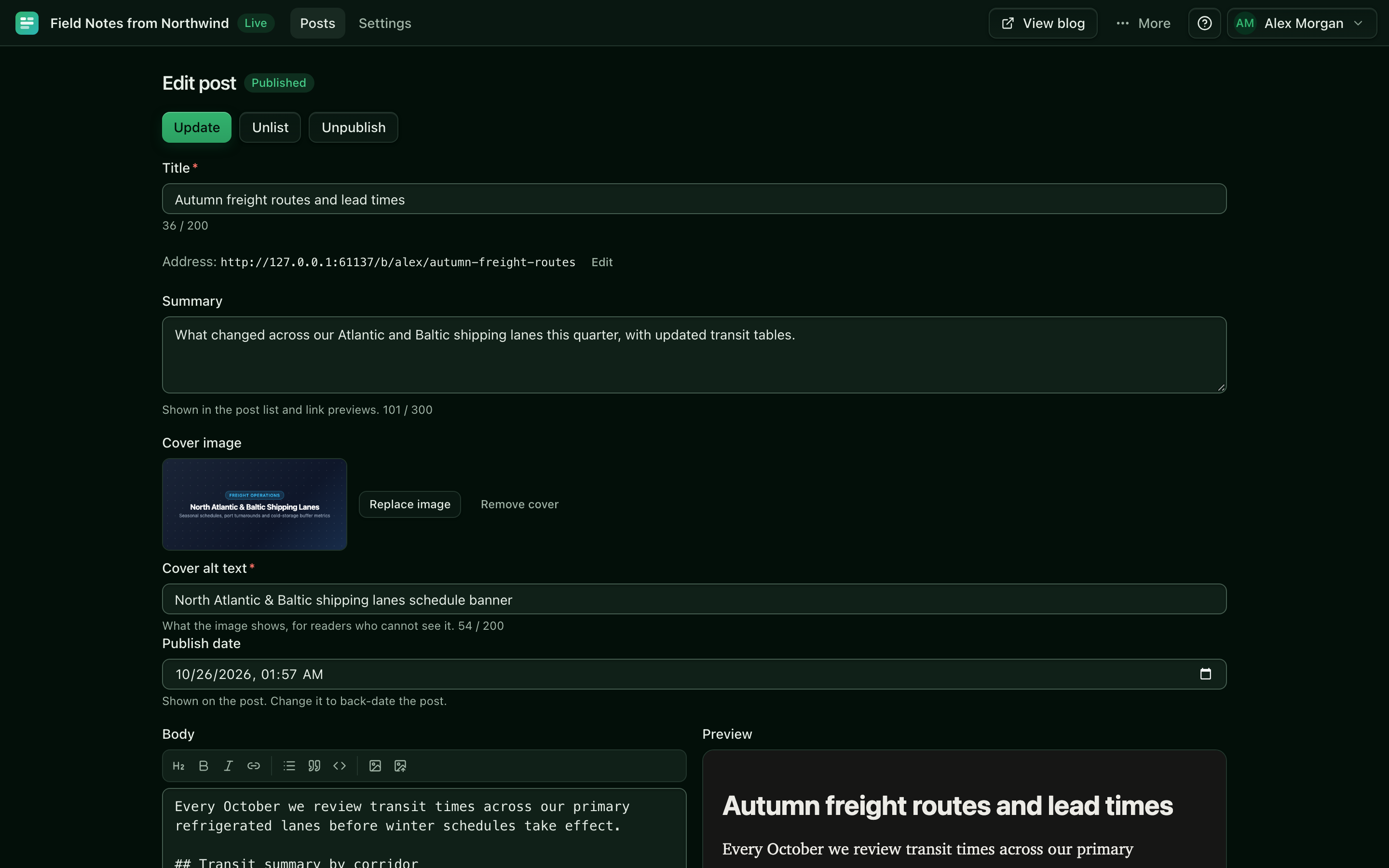
Markdown authoring with live preview, published as static HTML with Atom feeds for each user.
-
SQLite or PostgreSQL
One SQLite file per workspace out of the box, or a schema per workspace in your PostgreSQL cluster. Signed backups either way.
See it working
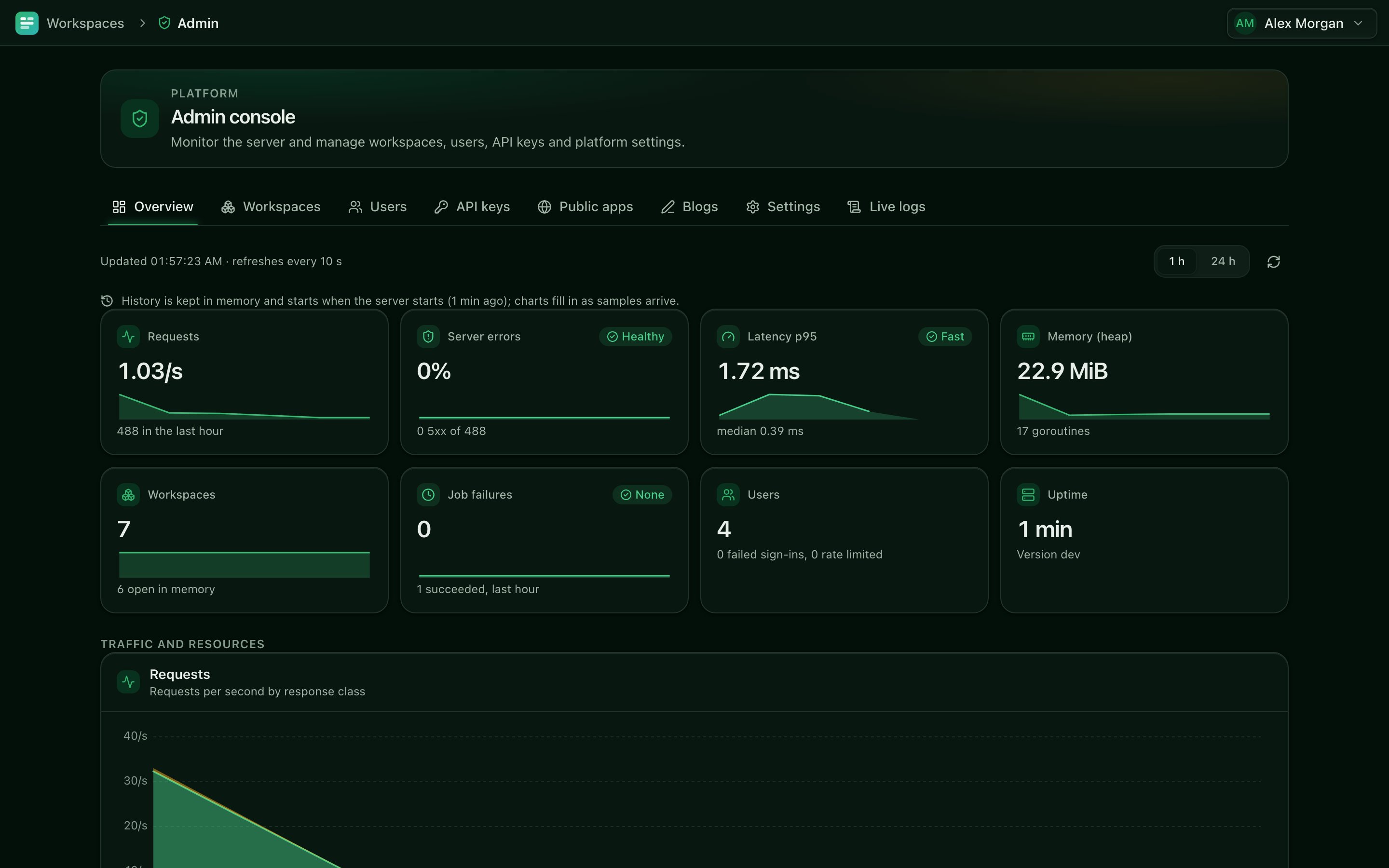
Screenshots from the Northwind Traders and Biosecurity Watch sample workspaces that come with every install, shown in the dark theme. The light theme is below.
Light mode
Every screen also comes in a light theme with the same layout, palette and depth. AbiData follows your system setting, and you can switch from the user menu.
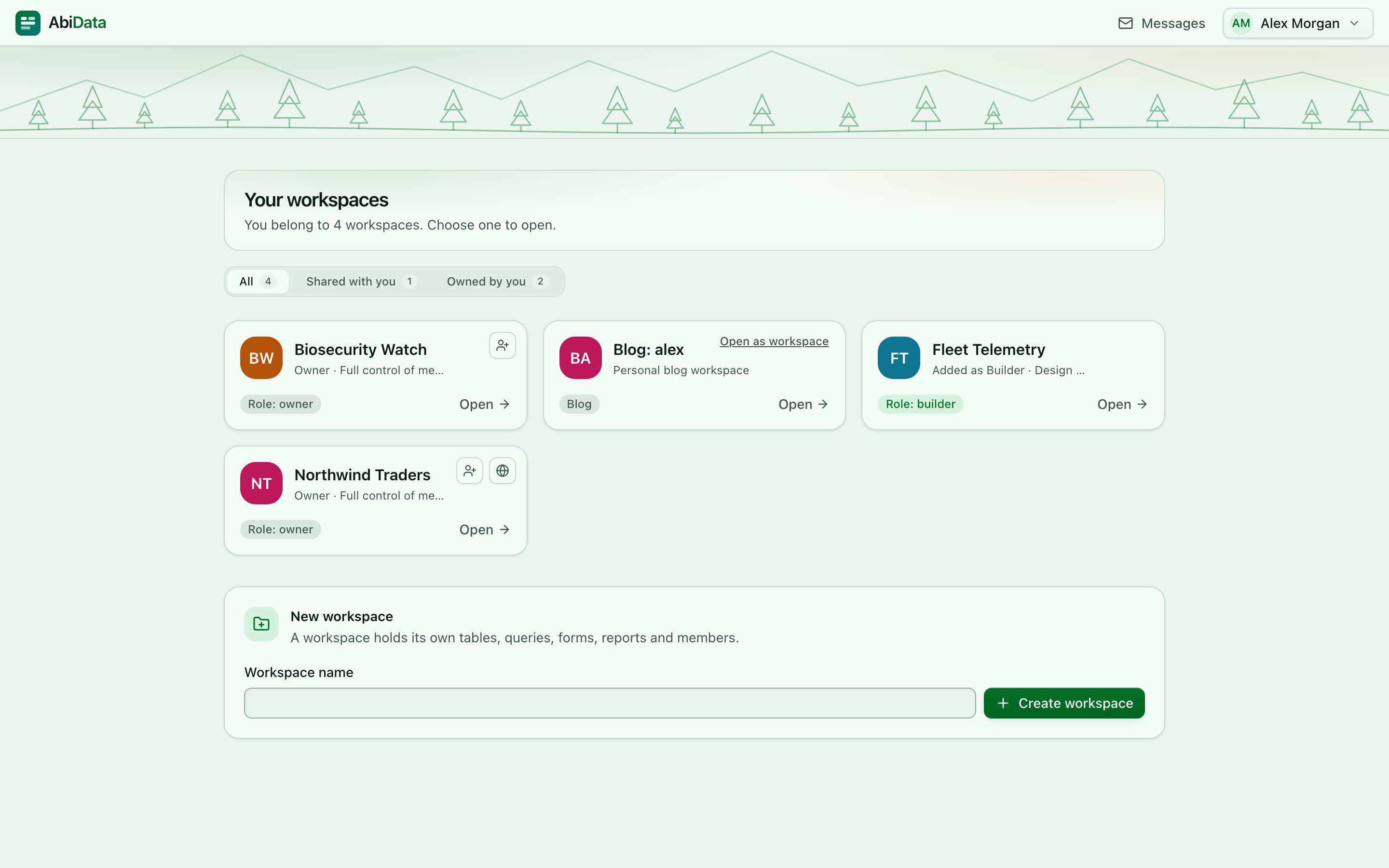
Workspace pickerEvery workspace you belong to, with your role in each. 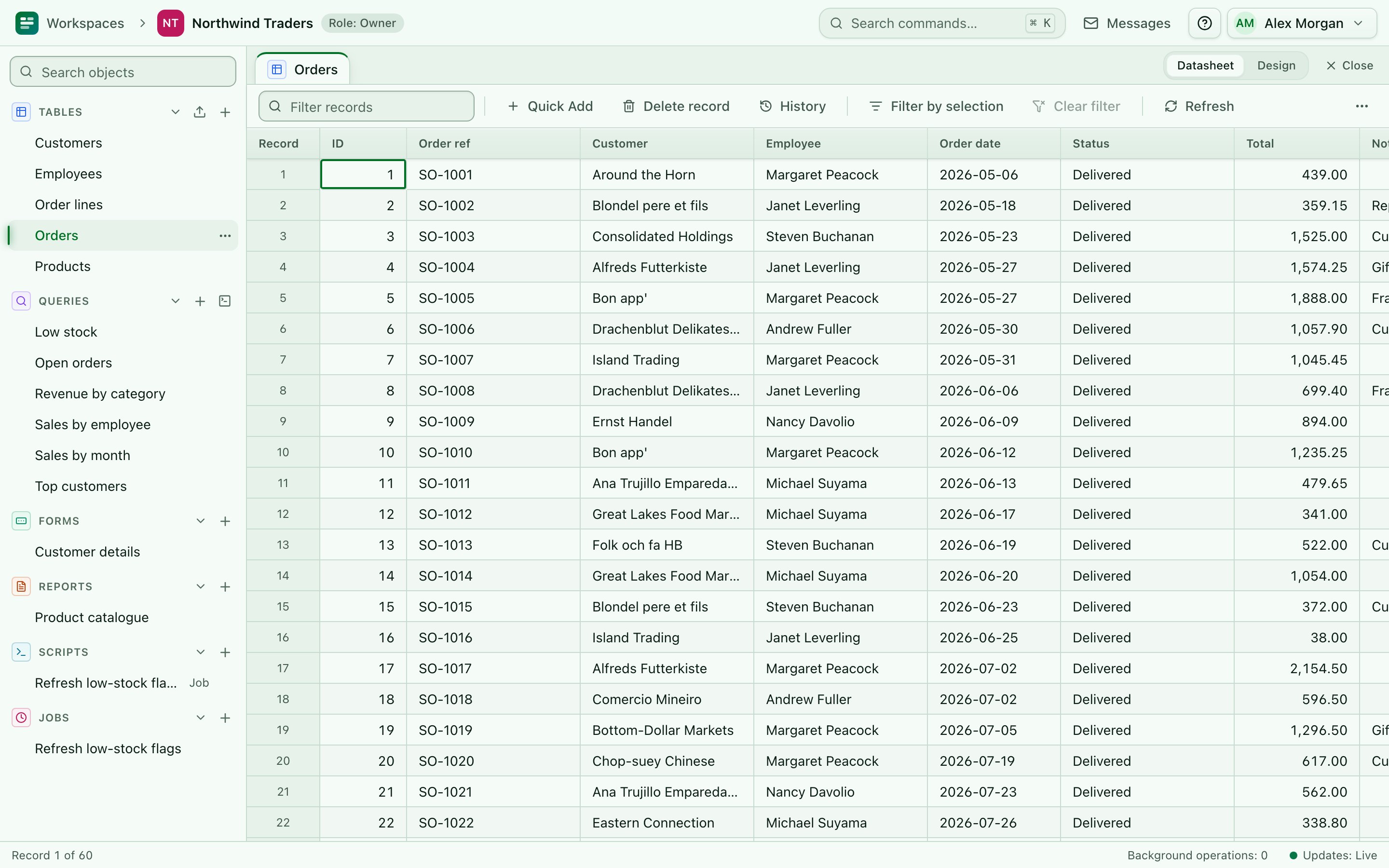
DatasheetsThe same dense, keyboard-driven grid in birch and sage. 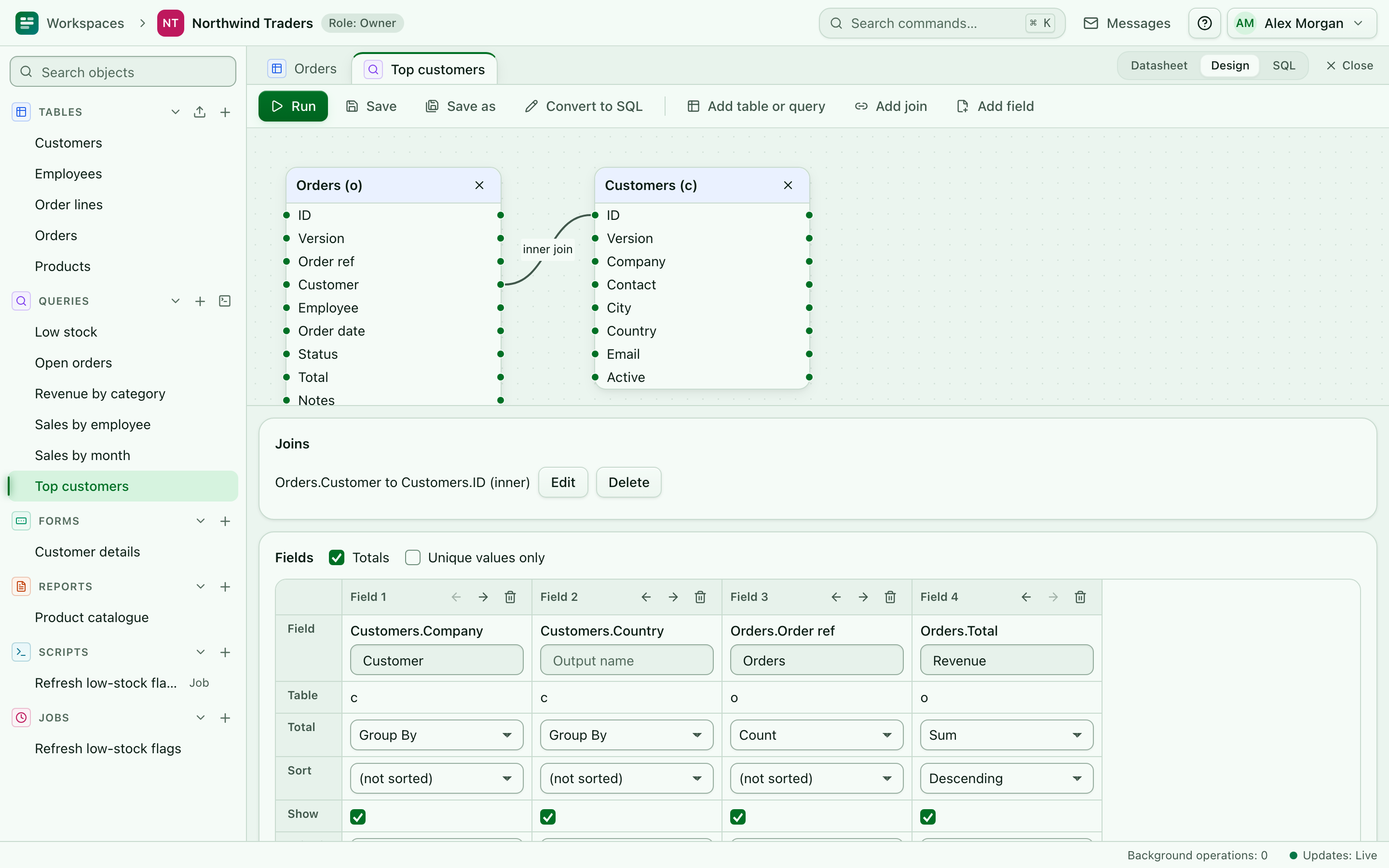
Visual queriesJoins, criteria and totals on a dotted canvas. 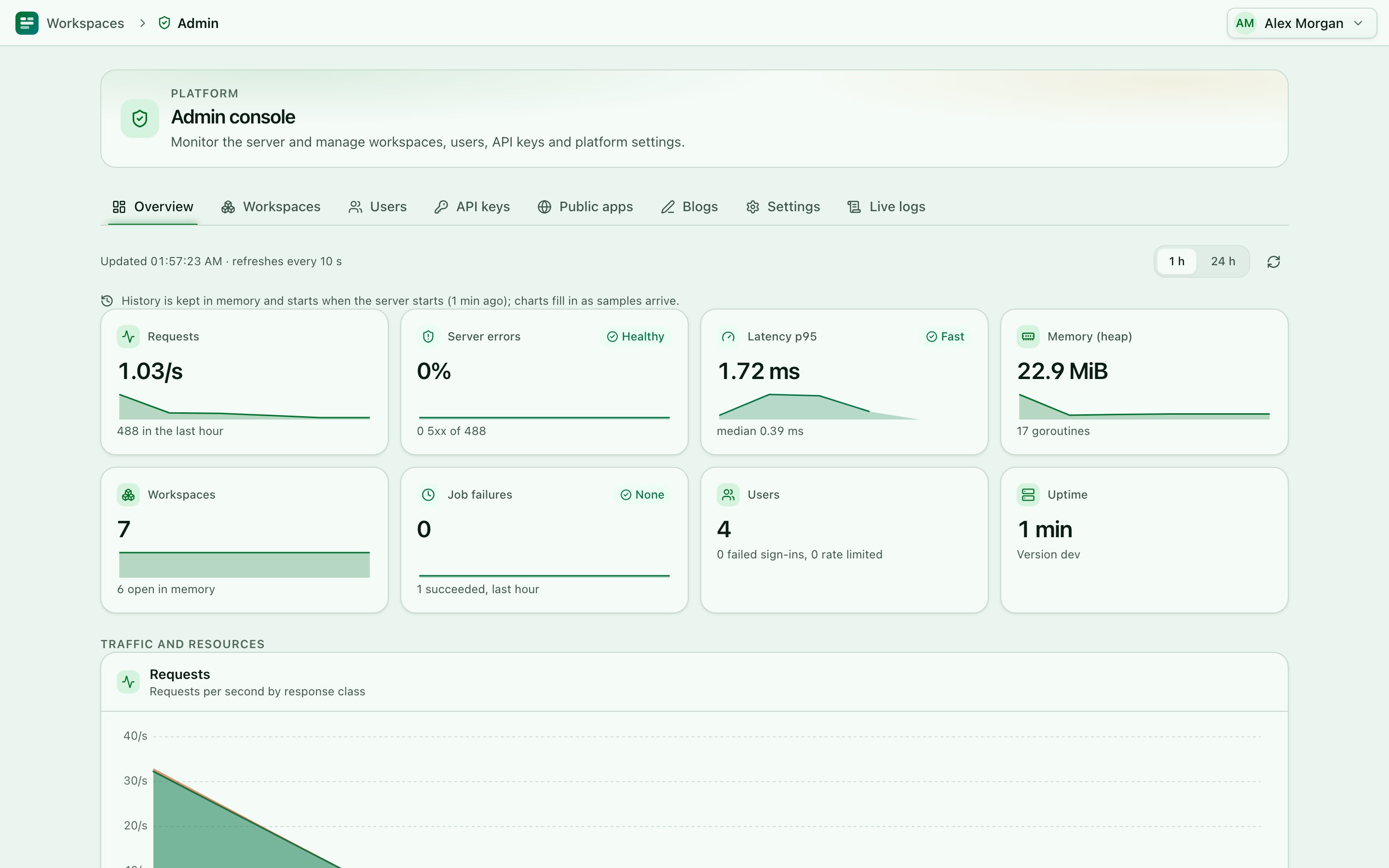
AdministrationLive telemetry, storage and the audit trail.
How it works
One process, one place for your data, nothing else to run.
Run one binary
The Go server embeds the React web app, the API and the scheduler. Ship it as a distroless container behind Caddy, or run the static binary yourself.
Create a workspace
Each project is an isolated workspace: its own SQLite file, or its own schema in PostgreSQL. Start from a sample or an empty one.
Build in the browser
Design tables, queries, forms, reports and scripts. Everyone you invite sees changes live, from a laptop or a phone.
Share and automate
Assign roles, publish public apps and blogs, schedule jobs, and use the REST API with scoped keys.
- Go server
- React web app, installable as a PWA
- SQLite or PostgreSQL
- OpenAPI 3.1 REST API
- Lua 5.1 sandbox
- Live updates over server-sent events
Quick start
Try it locally in a few minutes, or put it on a server with automatic HTTPS.
With Docker
Start a local instance on port 8080:
git clone https://github.com/AbishYoung/AbiData.git
cd AbiData
scripts/docker-dev.sh
Read the one-time setup token from the logs, open http://localhost:8080 and create the administrator:
docker compose -p abidata-dev -f compose.yaml -f compose.dev.yaml \
  logs abidata | grep setup_token
For a server with HTTPS through Caddy:
export ABIDATA_PUBLIC_URL=https://abidata.example.com
export ABIDATA_SITE=abidata.example.com
export ABIDATA_BOOTSTRAP_ADMIN_EMAIL=you@example.com
scripts/docker-prod.sh
As a single binary
Needs Go 1.24 or later and Node.js 24 (LTS) to build. The result is one static executable with the web app embedded:
git clone https://github.com/AbishYoung/AbiData.git
cd AbiData
make build
./bin/abidata serve
Set the same ABIDATA_* variables as for Docker, and put a TLS-terminating proxy in front. To store data in PostgreSQL instead of SQLite files, set ABIDATA_DB=postgres and the connection variables before the first start.
Prebuilt sources and notes for each version are on the releases page.